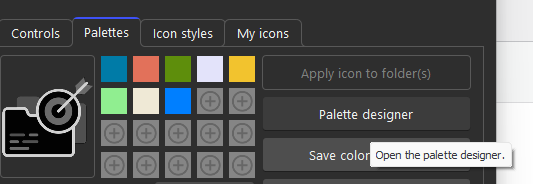
Starting with version 1.1.0.34, premium users can now use the palette designer to create beautiful 20-color palettes from an image, color (monochrome) or color harmony (color theory).
From image uses a k-means clustering algorithm. It shrinks your image to 150×150, reads every pixel, and mathematically groups them into 20 dominant color clusters.
-
Use case: “I have a wallpaper, a logo, or a photograph, and I want a palette that matches it.”
-
Options: You can toggle “Ignore near-white / near-black pixels” to prevent backgrounds or dark shadows from ruining the palette.

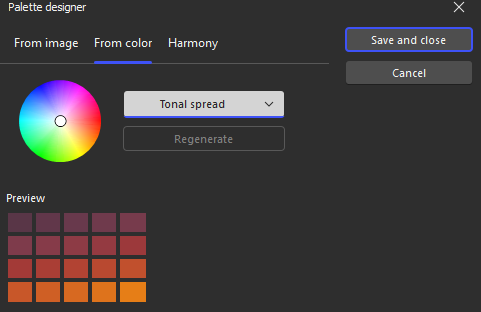
From color takes a single base color (selected by the user) and generates 20 variations of it based on the strategy chosen in the dropdown.
-
Includes five color strategies:
-
Shades: 20 steps from almost black to almost white, keeping the same hue and saturation.
-
Tints & Shades: 10 darker shades + 10 lighter tints.
-
Tonal spread: Slight hue shifts (±30°) combined with changing lightness and saturation for a richer, more dynamic monochrome look.
-
Random vivid / Random pastel: 20 mathematically random colors.
-
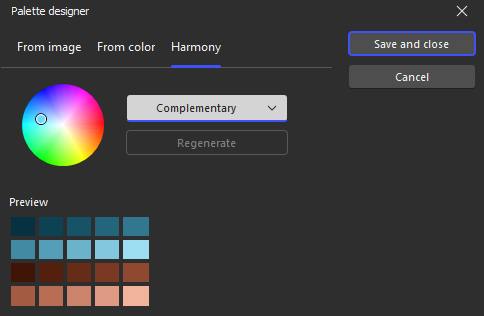
Harmony takes a single base color (selected by the user) and uses color-wheel geometry to find other colors that naturally look good next to it.
-
Rules available:
-
Complementary: Base + opposite (180°).
-
Split-complementary: Base + two colors offset by 150° and 210°.
-
Triadic: Base + two colors offset by 120° and 240°.
-
Tetradic: Base + three colors offset by 90°, 180°, and 270°.
-
Analogous: Base + neighbors on the color wheel (within 60°).
-
Monochrome: Generates 20 shades of just the base hue (similar to “Shades” but with a different saturation/lightness curve).
-